Birth and death of a row in Turso's MVCC
What happens to a row in Turso's MVCC, from the bytecode that inserts it to the checkpoint that deletes it.

#Intro
A few weeks ago I talked about group commits in MVCC. There we focused on the commit path and how changes were flushed to disk. Obviously, this wasn’t the full picture of a row’s lifetime. In this post I want to show what really happens during a transaction: from parsing a statement, to building the VM bytecode, to finally executing it.
As I said in that post, Turso’s MVCC implementation is heavily based on the MVCC design behind Hekaton, described by Larson et al.. Unfortunately, the paper focuses on in-memory data structures. It says that a committing transaction writes a redo log record and waits for it to reach non-volatile storage, but it does not design that log, recovery, or checkpoints. The prototype in the paper did not even wait for the log:
Each transaction generates log records but these are asynchronously written to durable storage; transactions do not wait for log I/O to complete
This meant we had to design our own way to store data durably at commit. And since Turso is a SQLite rewrite, the data on disk had to stay SQLite-compatible, so that switching from WAL mode to MVCC mode is easy.
As is becoming clear, I managed to make concurrent SQLite sound more complex than I wanted. But don’t worry! From here on, the complexity grows step by step, and we will walk through every step. Hopefully, by the end, you will understand how it works.
#Turso queries dissected
Before jumping into how we store data, let’s go through the execution of a query. Databases have different ways to turn a query into an executable form. Postgres, for example, creates a plan tree that is executed with iterators, and some expressions are translated into a series of steps that can be JIT-compiled. SQLite, on the other hand, compiles the query into bytecode that runs on a virtual machine called the VDBE.
When I first started working on Turso, reading bytecode was my bread and butter. Surprisingly, it was quite a simple undertaking. Let’s look at what an insert into this simple table (CREATE TABLE names(x);) looks like in bytecode.
| addr | opcode | p1 | p2 | p3 | p4 | p5 | comment |
|---|---|---|---|---|---|---|---|
| 0 | Init | 0 | 9 | 0 | 0 | Start at 9 | |
| 1 | OpenWrite | 0 | 2 | 0 | 0 | root=2; iDb=0 | |
| 2 | String8 | 0 | 3 | 0 | deadbeef | 0 | r[3]='deadbeef' |
| 3 | NewRowid | 0 | 2 | 0 | 0 | r[2]=rowid | |
| 4 | MakeRecord | 3 | 1 | 4 | 0 | r[4]=mkrec(r[3..3]) | |
| 5 | Insert | 0 | 4 | 2 | names | 0 | intkey=r[2] data=r[4] |
| 6 | Goto | 0 | 7 | 0 | 0 | ||
| 7 | Goto | 0 | 8 | 0 | 0 | ||
| 8 | Halt | 0 | 0 | 0 | 0 | ||
| 9 | Transaction | 0 | 2 | 1 | 0 | iDb=0 tx_mode=Write | |
| 10 | Goto | 0 | 1 | 0 | 0 |
.opcodes <name> in tursodb.There are three parts to the code: the preamble, the main code, and the end. In the preamble we usually see two things: Init, which jumps to the preamble code, and Transaction, which most of the time is the only thing there. Transaction is the instruction responsible for starting the transaction. We will see more about it once we add MVCC to the picture.
The main code opens “cursors” with OpenWrite, loads the data of the row into registers with String8 and NewRowid, packs it into a record with MakeRecord, and writes the row itself to the backing storage with Insert. A cursor points to a single table, and it works like an iterator.
Finally, we call Halt. Halt takes care of either committing or rolling back the transaction.
If you like Robert C. Martin, you might prefer reading it as:
let tx = Transaction();
let cursor = tx.OpenWrite(2);
let record = MakeRecord(NewRowid(), 'deadbeef');
cursor.insert(record);
tx.commit();
Now that we know what the bytecode looks like, let’s dive deeper into Insert.
#Writing to the MVCC store
Insert writes a row into the backing storage. In this case, that is the MVCC in-memory store, which is not durable yet. Rows are stored in a SkipMap. Skip maps are quite relevant here, because they are a lock-free data structure with the same interface as a BTreeMap: an ordered map. It looks something like SkipMap<RowId, RwLock<Vec<RowVersion>>>, where a row id maps to a chain of versions of that row, and each chain has its own lock.
A row version is simply a struct that holds three important pieces of information: the begin timestamp, the end timestamp, and the payload. Timestamps are monotonically increasing numbers that a logical clock hands out to transactions, to control which versions come before or after others. While a transaction is active and hasn’t committed yet, we store a TxId instead of a timestamp. Once it has committed, we store the timestamp it acquired at commit time.
Going back to the Insert instruction: when it is executed, we create a new RowVersion:
RowVersion {
	begin: TxId(tx.id),
	end: None,
	row: record
}
A begin with a TxId means we have added the row to the MVCC store, but other transactions cannot read it yet. An end of None means this version hasn’t been deleted yet.
Now let’s move on to Halt.
#Committing a transaction
After inserting the row, all we have is a row version buffered in memory. We still need to make it durable. Halt marks the end of a transaction, whether it commits or rolls back. Here we are going to commit.
Commit is a multi-step process.
RowVersion {begin: TxId(7),end: None,row: (1, 'deadbeef')}
First, we acquire a new commit timestamp and move the transaction to the Preparing state. The timestamp will later replace the TxId in the begin field of our row version.
Second, we verify that no other transaction committed a write to the same row after our transaction started. The first committer wins. Besides the rowid, this check covers the keys of UNIQUE and PRIMARY KEY indexes. Our names table has no index, so only rowid 1 is checked. Other constraints, like CHECK or FOREIGN KEY, are checked by the VDBE before this point, not by MVCC.
Third, there is a step that doesn’t matter for this specific transaction: we check whether we have to wait for dependencies to finish. In MVCC, a transaction can speculatively read from a transaction that is in the Preparing state and not yet Committed. This step matters because we need to make sure that the transaction we speculatively read from finishes. If it rolls back, we have to roll back too. Otherwise, we would have written rows based on a transaction that never committed, which would violate snapshot isolation.
The next states are where the logical log entry is built, then written to disk, and finally fsynced. The order of operations here is important, because writing to disk does not mean the data is on disk yet: it might still be buffered in the OS page cache or in the disk’s cache. fsync forces the data onto the disk, and this syscall is usually expensive. If you want to read more about this, check the optimizations we did around it in this post.
Finally, we are ready to commit. If the database panics now, all the data is durably stored on disk and nothing is lost. Since we are not panicking, let’s commit! First, we mark the transaction state as Committed. This means that transactions with a newer snapshot can already read rows from this transaction, because they are considered committed. Since we don’t want to keep the transaction alive forever, we then rewrite all of its row versions (in this case, a single one) with the timestamp we acquired in the first step.
RowVersion {begin: TxId(tx.id),end: None,row: record}
RowVersion {begin: Timestamp(commit_timestamp),end: None,row: record}
#My database panicked!
Don’t worry, stay calm. As Marcus Aurelius once said:
"The process may panic, the server may burn. Yet I am untroubled, for it is not events that disturb us, but our judgments about them. And my judgment is that the commit was fsynced to the logical log. Let the crash come; on recovery, I shall replay it as though nothing happened. Such is the way of nature, and of write-ahead logging."
— Marcus Aurelius, Meditations, Book XII (the lost on-call edition)
Even though MVCC is an in-memory store, durably storing changes in a logical log matters, not only for performance, but also because we can “replay” the log’s history to rebuild the in-memory store.
Replaying a logical log is the process of reading transaction commits in order and applying the same changes to the MVCC store. Nothing more, nothing less. Since we (I) don’t want to dedicate a full chapter to the replay code, let’s simply show it with sparkly interactive diagrams ✨
#The logical log is huge!
Unfortunately, due to the burning of the Library of Alexandria, we don’t have a quote from the Stoics about checkpoints. Regardless of past events, we are in control of how big our logical log gets. Checkpointing in Turso’s MVCC is the process of moving in-memory rows to disk. In this case, we move all the rows we can to .db-wal (the WAL), and then checkpoint the WAL to move them to .db (the B-tree file).
So let’s say the logical log keeps growing. By default, PRAGMA mvcc_checkpoint_threshold is set to about 4 MB, the size of 1,000 WAL frames. After reaching the limit, the commit that crossed it starts a Truncate checkpoint. Truncate checkpoints are blocking: if any transaction is still open, the checkpoint does not start, and while it runs, new transactions get a busy error. In exchange, it always empties the logical log. There is also an experimental Passive mode, behind the --experimental-mvcc-passive-checkpoint flag. Passive checkpoints are lazy: they checkpoint as many rows as they safely can, and at the end, if no other write transaction appended more log records, they truncate the logical log. Choosing between the two matters, because a passive checkpoint lets multiple writers make progress concurrently, while a truncate checkpoint does not.
The astute reader might have already noticed that this causes write amplification, which is not ideal. But using WAL mode as the checkpoint procedure buys us some benefits:
- Compatibility with SQLite. Switching from one mode to the other is simple:
PRAGMA journal_moderuns a truncate checkpoint for you and then switches the mode. - Checkpoints are crash-safe for free. Rows are moved to the WAL inside a normal pager transaction, so either all frames of the checkpoint make it to the WAL or none of them do.
- We already have the infrastructure to read in WAL mode. Moving rows to disk means a query now has to read either from memory or from disk. Reading in MVCC works like a two-pointer iteration, where you advance the MVCC and B-tree iterators and choose which row comes next.
- WAL provides snapshot isolation. Remember that reading in MVCC means merging rows from the in-memory store and the B-tree. If the B-tree changed under our feet in the middle of a transaction, our nice two-pointer iteration would start returning rows from the future.
#Perish deadbeef
All good things come to an end, and rows are no different. Let’s end it with DELETE FROM names WHERE x = 'deadbeef';. The steps to delete a row during a transaction are similar to inserting one. We update the committed version in the MVCC store, but this time the end field is filled with a TxId, and on commit it is rewritten to a Timestamp. We set the end field while holding the lock of the row’s version chain, so it works like a mutual exclusion: another transaction that tries to delete or update the same row finds end already taken, so it gets a WriteWriteConflict and its whole transaction rolls back.
RowVersion {
	begin: Timestamp(ts),
	end: TxId(delete_tx.id),
	row: record
}
If the row is not in memory, for example because it was checkpointed and garbage collected, we simply don’t set begin, and we insert this new row version:
RowVersion {
	begin: None,
	end: TxId(delete_tx.id),
	row: record // payload copied from the B-tree.
}
Like inserted rows, deletions are checkpointed too. During a checkpoint, a delete simply removes the row from the B-tree. Now let’s look at the exciting, complete life of our dear row.
RowVersion {begin: TxId(7),end: None,row: (1, 'deadbeef')}
#Closing
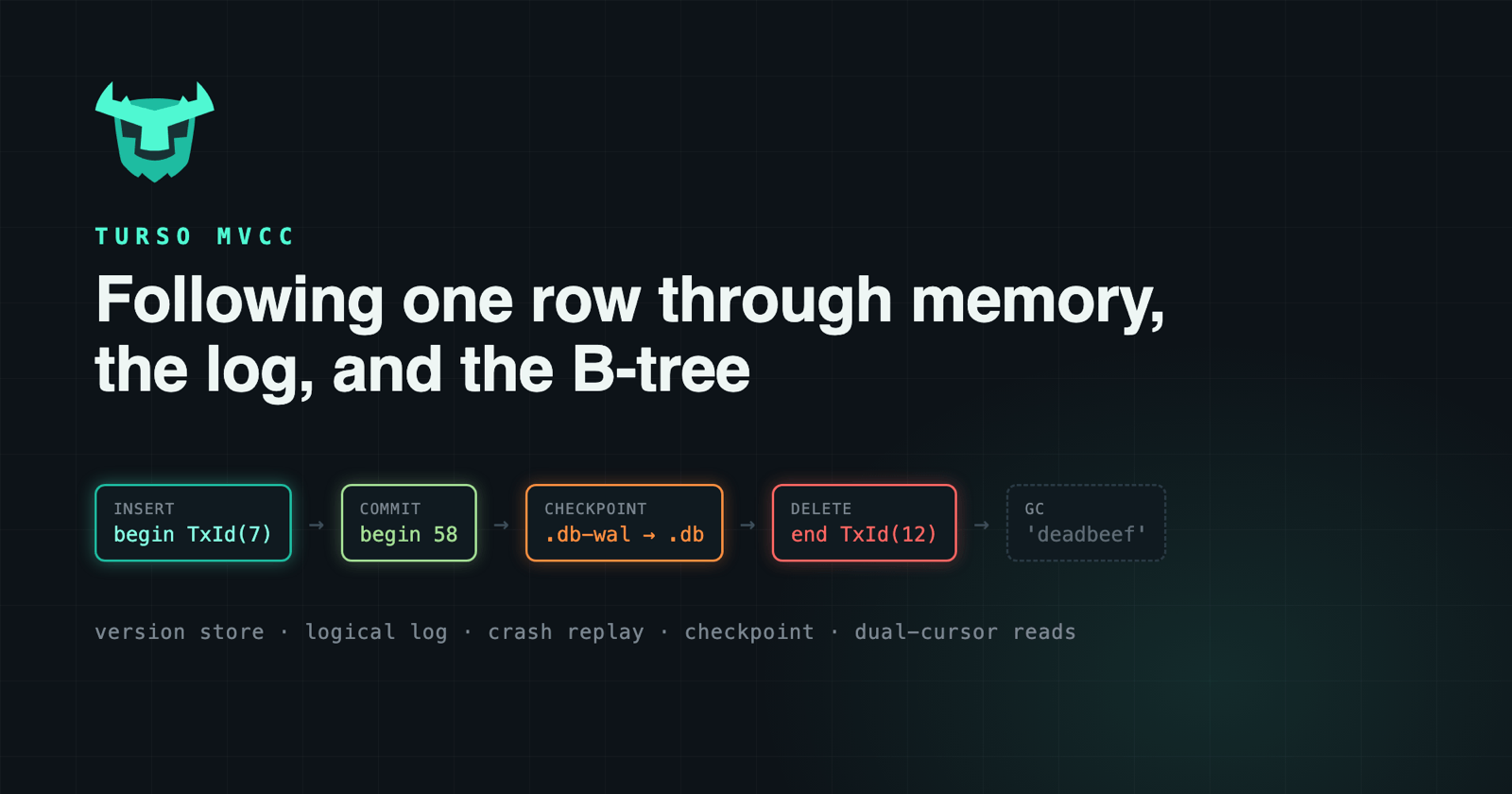
That was the whole life of 'deadbeef'. It was born as a few bytecode instructions, lived in the MVCC store, was written to the logical log, survived a crash, was checkpointed into the B-tree, and was finally deleted. I hope you found this post informative regardless of your knowledge of database internals. I want to finish with a bit of history on why we built all of this.
A long time ago, some big users started hitting concurrency issues. Hosting a SQLite server is hard, because WAL mode only allows one writer at a time and every other writer has to wait for the lock. Running on S3 has great benefits, but it comes at a price: every commit adds I/O. Put the two together and each slow commit makes every other writer wait even longer. That was a clear nudge on what we should be doing with Turso. WAL mode is single writer, so making it scale with write concurrency was a must.
This matters even more for where Turso is going. Turso runs many small databases, and more and more of them are used by agents doing parallel work, with many writers hitting the same database at once. MVCC lets them all write together, and they only get in each other’s way when they touch the same row, like the WriteWriteConflict we saw with 'deadbeef'. That’s why MVCC was such a big focus of the performance work in v0.8, including the group commit changes.
If you want to hear more, I’ll be presenting "Breaking SQLite’s Single-Writer Bottleneck" at P99 CONF on Thursday, October 22. And if you want to try it yourself, it’s one line away: PRAGMA journal_mode = mvcc;.