Building Local-First Apps: The Complete Guide to Offline-First Database Sync
What local-first means, how Turso Sync works, three architecture patterns, and how to handle the hard parts: conflicts, auth, storage, and partial sync.

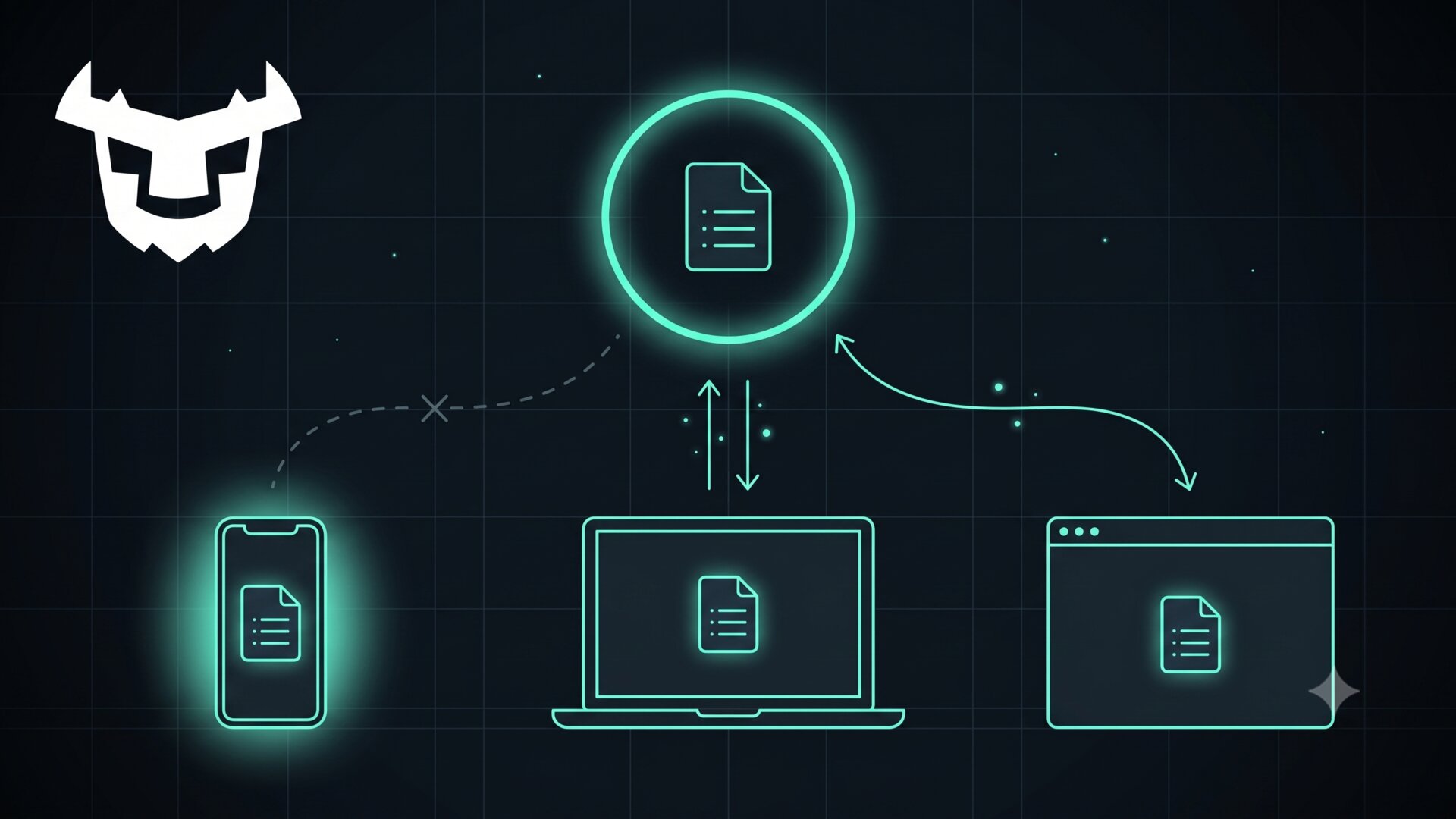
You're on the subway. You open your task app to check what you need to pick up at the store. The screen goes white. A spinner appears. Then nothing. Your groceries are held hostage by a cell tower you left behind two stops ago.
Your users have experienced this. You know it because you've experienced it too. And anyone who has tried to fix it knows the other side of the problem: sync is painfully hard.
The traditional approaches to offline data sync are Conflict-free Replicated Data Types (CRDTs) and Operational Transformation (OT). Both work, and both are a lot to take on: CRDTs reshape your data model around convergence, and OT, the algorithm family behind Google Docs, is famously hard to implement correctly.
The good news: you don't have to build any of this from scratch. The local-first movement has matured enough that practical tools exist. And if you build on SQLite, the path is surprisingly straightforward. With more than a trillion databases estimated to be in active use according to sqlite.org, you probably already do.
#What "Local-First" Actually Means
The term comes from a 2019 essay from the Ink & Switch research lab. Their core idea: your data should live on your device first. The cloud is a layer for backup, sync, and coordination between devices, rather than the primary store.
The essay lays out seven ideals for local-first software. In practice, the ones most apps care about are the first four: fast, multi-device, offline, and collaborative.
The practical benefits are concrete. Reads come from a local database, so the UI is instant, with no network round-trip and no spinner. The same property is what makes the app work offline: the subway scenario this post opened with simply stops existing. Writes go to local storage too, and sync when connectivity returns, so nothing is lost while you're disconnected. And a large amount of backend complexity, from network error handling to always-on infrastructure, simply disappears from the application's critical path. Engineers who have shipped local-first products tend to be vocal about this last point: Tuomas Artman, who built Linear's sync engine, has said he would not go back to building apps any other way.
The challenges are real too. Conflict resolution when two devices edit the same data, storage management on constrained devices, and the complexity of keeping everything in sync without losing writes: these are the problems that kept offline-first from gaining traction in the 2010s.
SQLite is a natural fit for local-first because it's an embedded database that runs in your process and reads from a file on disk, with no server and no network connection required. That's why Turso built its sync capabilities directly on top of the SQLite model.
#Turso Sync: How It Works
Turso offers two approaches to local database sync, and understanding the difference matters.
Embedded Replicas, the earlier approach, keep a local read replica of a Turso Cloud database. Reads are local and fast while writes go to the cloud primary by default. This works well for read-heavy server-side workloads that want microsecond read latency. The replication protocol operates on physical database pages, and Turso's own engineering writeups describe the drawbacks candidly: small changes still transfer whole pages, there's no visibility into what logically changed, and local replicas could diverge and require a wasteful re-bootstrap from the cloud.
Turso Sync, the newer approach, built on the Turso Database engine, is what Turso now recommends. It uses change data capture (CDC) to track logical changes. Local changes are pushed to the remote as logical row-level mutations, which enables flexible conflict resolution. Remote changes are pulled as physical pages so the local copy eventually becomes byte-for-byte identical to the remote. In Turso's published benchmarks against Embedded Replicas, the results reach up to 312x faster syncs and roughly 18x less network traffic, with the gap depending on the workload (the read-your-writes scenario produced the headline numbers, while other scenarios showed 2x to 9x improvements).
Setting it up with TypeScript takes a few lines of code:
import { connect } from "@tursodatabase/sync";

const db = await connect({
  path: "local.db",
  url: process.env.TURSO_DATABASE_URL, // from: turso db show <db> --url
  authToken: process.env.TURSO_AUTH_TOKEN, // from: turso db tokens create <db>
});
On the first run, the local database is bootstrapped from the remote, so the remote must be reachable during the initial connect. To let the app start fully offline instead, pass url as a function that returns null while offline: the database starts local-only, and sync switches on once the function returns the remote URL.
The API mirrors @tursodatabase/database with the addition of push(), pull(), and checkpoint() methods, plus stats() for observing sync state. You run push and pull in background loops:
async function pull() {
  try {
    if (await db.pull()) { await updateUI(); }
    setTimeout(pull, 0);
  } catch (e) {
    console.info("pull error", e);
    setTimeout(pull, 5000);
  }
}

async function push() {
  try {
    if ((await db.stats()).cdcOperations > 0) { await db.push(); }
    setTimeout(push, 100);
  } catch (e) {
    console.info("push error", e);
    setTimeout(push, 5000);
  }
}

pull();
push();
By default, conflict resolution uses a Last-Push-Wins strategy at the row level. When the same row is modified on different devices, the version pushed last takes precedence, regardless of when the local commit happened. For most apps, such as notes, tasks, and settings, this is fine. For cases that need something smarter, the connect method accepts a transform hook that rewrites mutations before they're sent. The transform deals in row-level changes, so create your schema up front on a connection without a transform. Here, a counter table with key and value columns has already been created, seeded, and pushed to the remote. With the schema in place, connect with the hook:
const db = await connect({
  path: "local.db",
  url: process.env.TURSO_DATABASE_URL,
  authToken: process.env.TURSO_AUTH_TOKEN,
  transform: (mutation) => ({
    operation: "rewrite",
    stmt: {
      sql: "UPDATE counter SET value = value + ? WHERE key = ?",
      values: [mutation.after.value - mutation.before.value, mutation.after.key],
    },
  }),
});
This turns a "set value to 7" into an "increment by 3," which merges correctly from multiple devices. You can implement whatever conflict strategy your app needs.
#Three Patterns for Local-First Apps
#Pattern 1: Mobile and Desktop Apps
This is the classic local-first use case. A note-taking app, a task manager, a field data collection tool. The user writes data on their device, and when they have connectivity, the app pushes changes to the cloud and pulls down anything new from other devices.
The workflow looks like this: write to local SQLite normally, then run push() and pull() in background loops, on a timer, or when the network comes back. The app works identically whether the user is online or offline, and the only difference is when their data reaches the cloud.
For mobile specifically, Turso ships official React Native bindings as @tursodatabase/sync-react-native, a single package that delivers both the embedded database and optional sync with Turso Cloud on iOS and Android. The @tursodatabase/sync package covers Node.js for desktop and server use.
#Pattern 2: Edge and Server Applications
Not every local-first app lives on a phone. Backend services can use local databases for microsecond read latency. An API server with an embedded Turso database reads from local disk instead of making a network call on every request, with writes pushed to the remote and pulls keeping the local copy current. Turso's launch post highlights this pattern explicitly, along with machine learning pipelines that train locally and sync periodically for backup or coordination.
This pattern suits read-heavy workloads: product catalogs, configuration data, feature flags, and reference datasets. A service that reads 100x more than it writes can eliminate almost all of its database network traffic with a local copy.
#Pattern 3: Browser Applications
Turso runs in the browser through a dedicated WASM sync package, @tursodatabase/sync-wasm, backed by OPFS (the browser's Origin Private File System) so the database persists across sessions.
This opens up progressive web apps with real offline capability: a project management tool that works on a plane, or a survey app that collects data in areas with spotty coverage. The database lives in the browser and syncs when online, while the rest of your application code stays the same as the Node.js version.
#Handling the Hard Parts
Conflict resolution. Last-Push-Wins is the default and works for most single-user or low-contention scenarios. For counters, collaborative lists, or other cases where concurrent edits need merging, use the transform hook. There is no built-in CRDT support, so you're responsible for defining your merge logic, but you get full access to the before and after state of each mutation to do so.
Authentication. Turso supports fine-grained permissions on tokens, scoped per table and per operation. Data operations are data_read, data_add, data_update, and data_delete, and schema operations are schema_add, schema_update, and schema_delete. You can generate scoped tokens through the CLI:
turso db tokens create <db> -p all:data_read -p tasks:data_update
External auth providers are supported by configuring a JWKS URL for your organization, so provider-issued tokens can authenticate directly with Turso. Clerk, Auth0, and WorkOS are the supported OIDC providers.
Storage management. The local WAL (write-ahead log) is retained to extract local changes and rebase them after pulls, so it grows as changes accumulate. Call db.checkpoint() periodically; it's sync-aware, compacting the WAL while preserving the metadata sync needs. A good pattern: check the WAL size from db.stats() on a timer and checkpoint when it exceeds a threshold.
Partial sync. Bootstrapping brings in the full database by default. Partial sync, fetching only the data you need lazily or on demand, is available as an experimental option in the TypeScript, Python, and Go SDKs (partialSyncExperimental in TypeScript), with strategies to bootstrap from a byte prefix of the database or from the pages touched by a query.
Peer-to-peer. Fully distributed sync between devices is not supported. The remote Turso database is always the source of truth, and all sync flows through it.
Network handling. The push() and pull() methods are plain async calls, and you handle retries yourself. The pattern shown above, catching errors and retrying after a delay, is straightforward. For mobile apps, consider tying sync to network state changes rather than polling on a fixed interval. The connect method also accepts a long-polling timeout option (longPollTimeoutMs) that controls how long the server waits before replying to a pull.
#When This Approach Makes Sense, and When It Doesn't
Turso Sync's row-level model is a strong fit when:
- Your app needs to work offline, such as mobile, field work, or travel
- You want instant UI without loading states for reads
- You're building a single-user or low-collaboration app, such as notes, tasks, or personal data
- You need low read latency on the server side
You'll want additional machinery when:
- You need real-time, character-by-character collaboration on shared documents, Google Docs-style. Row-level Last-Push-Wins isn't the right merge semantics for that; you'd pair the database with CRDT-style merge logic, which the transform hook gives you a place to plug in.
- Your data is primarily server-generated and users are read-only consumers. A standard API with caching is simpler.
- You need complex server-side processing before data reaches the client.
For most apps that fall in between, local-first gives you speed and resilience without adding much complexity, especially with Turso Sync handling the transport layer.
#Getting Started
Install the sync package:
npm install @tursodatabase/sync
You can try sync locally without a Turso Cloud account, because the Turso CLI ships with a local sync server:
npx turso@latest --sync-server 0.0.0.0:8080
The Turso Sync announcement post walks through the full API, the sync docs cover usage across TypeScript, Python, and Go, and the sync benchmark post covers the performance characteristics in detail. And the Turso Discord is where the team and community hang out for anyone who gets stuck.
Local-first has moved from an academic ideal to something you can ship in production. The hard parts, conflict resolution, change tracking, and efficient sync protocols, are handled at the database layer. Your job is to write your app logic and call push() and pull(). That's a much better deal than building a sync engine from scratch.