Do you need BYOC? A guide for technical leaders
BYOC is a common request in enterprise deals. This guide helps you check whether your team needs it, and maps your answers to Turso Cloud, Turso Cloud BYOC, Embedded Turso, or Supabase.

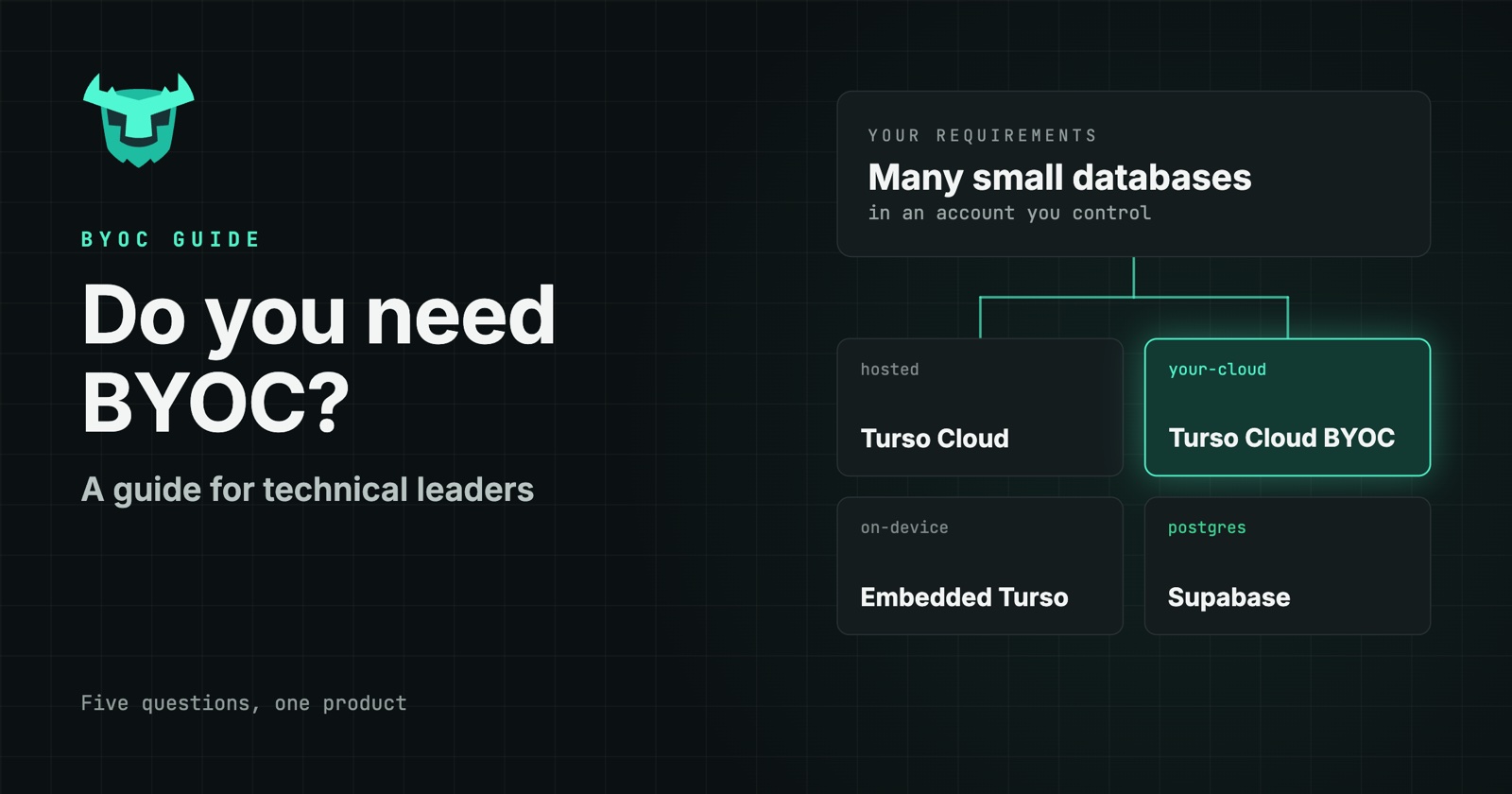
Bring Your Own Cloud (BYOC) is now a common request in enterprise deals, and many database vendors offer a version of it. That makes it easy to ask for BYOC before checking whether you need it.
For Turso, the answer comes down to two requirements. The first is that data must stay in your AWS or GCP account, or in your customer's. The second is that you need a database per agent, user, tenant, or device. If both are true, Turso Cloud BYOC fits. If only one is, there's a simpler option.
This guide helps you work out which applies to your team. It starts with the kinds of teams that need BYOC and the problems that lead them there, then maps your answers to a product. For how BYOC works under the hood, read Turso Cloud BYOC: the same product, in your own AWS account.
#Who you are
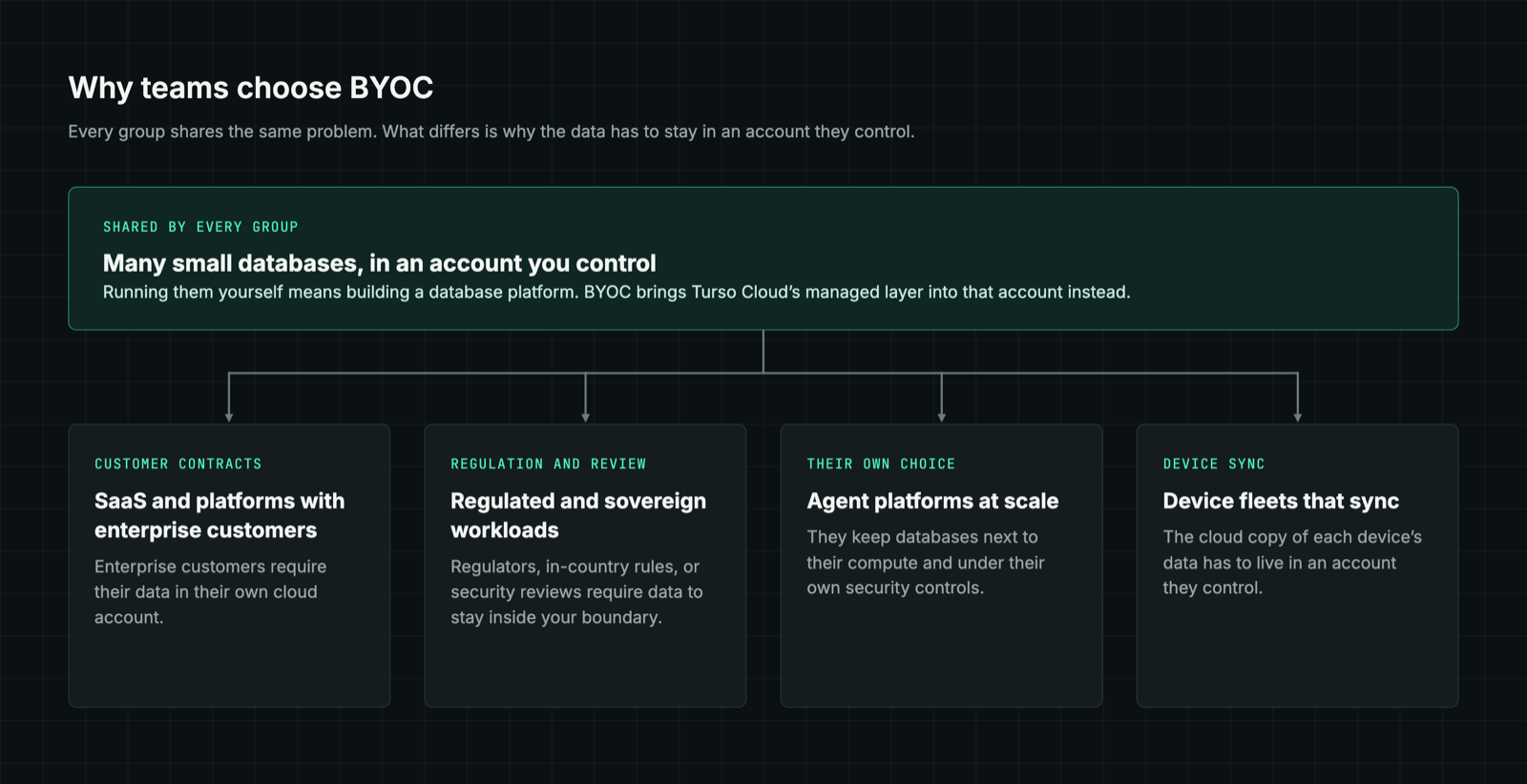
Teams that need Turso Cloud BYOC tend to fall into four groups. Most companies fit one, and some fit two.
#Agent platforms at scale
Labs, sandbox vendors, coding-agent companies, and assistant products create databases in huge numbers. Many choose to keep them in their own AWS or GCP account, next to their compute and under their own security controls. Two kinds of platform stand out:
- AI apps, sandboxes, and vibe-coding platforms create a database per generated app or per evaluation run.
- Personal and AI assistants keep a memory database per user.
#SaaS and platforms with enterprise customers
You run a database per customer. Most customers are fine with a hosted service, but enterprise customers often require their data in their own AWS or GCP account. With Turso, one design serves both tiers: hosted Turso Cloud for most customers, and BYOC for the ones who require it.
#Regulated and sovereign workloads
Healthcare, finance, insurance, legal, and in-country deployments keep a database per client or patient inside their own AWS or GCP account, because the rules require it. Enterprises running internal agent platforms follow the same pattern, with a database per agent inside their own network.
#Device fleets
Vehicles, handhelds, and field devices each run an embedded database that keeps working offline. When a device reconnects, it syncs with its own database in your AWS or GCP account.
#What's stopping you
Each group reaches BYOC through a specific problem. These are the four that come up most.
#"Running thousands of databases ourselves means building a database platform."
You need many small databases in your own account. Self-hosting the open-source Turso Database gives you the engine but you have to take care of the rest: provisioning, routing, scaling, and backups all become your team's job. With a few databases that's manageable. With thousands, it becomes a platform project.
BYOC's answer: Turso Cloud's managed layer runs in your account, so your team uses the same API and workflows as Turso Cloud without building the platform. This is the problem that separates BYOC from self-hosting.
#"Our enterprise customers won't let their data leave their cloud."
You run a database per customer, and your largest deals stall because those customers require their own account. Building a separate deployment for them takes quarters.
BYOC's answer: the same design runs hosted for most customers, and in the AWS or GCP account of each customer who requires it.
#"Shared databases can't keep one tenant's data apart."
One customer's or user's data sits next to everyone else's. Deleting a user or proving isolation means careful work across a shared store.
BYOC's answer: a database per tenant, user, or agent makes isolation structural, and deleting a user means dropping one database. BYOC keeps all of it inside your boundary.
#"Our data layer can't pass security review."
A vendor-hosted database fails the review, whether the requirement comes from regulators or from your own security team.
BYOC's answer: databases run in your account and in the regions you choose, and Turso can't access them.
#Find your path
Answer up to five questions about your databases to see which product fits your workload: Turso Cloud, Turso Cloud BYOC, Embedded Turso, or Supabase.
#How the decision works
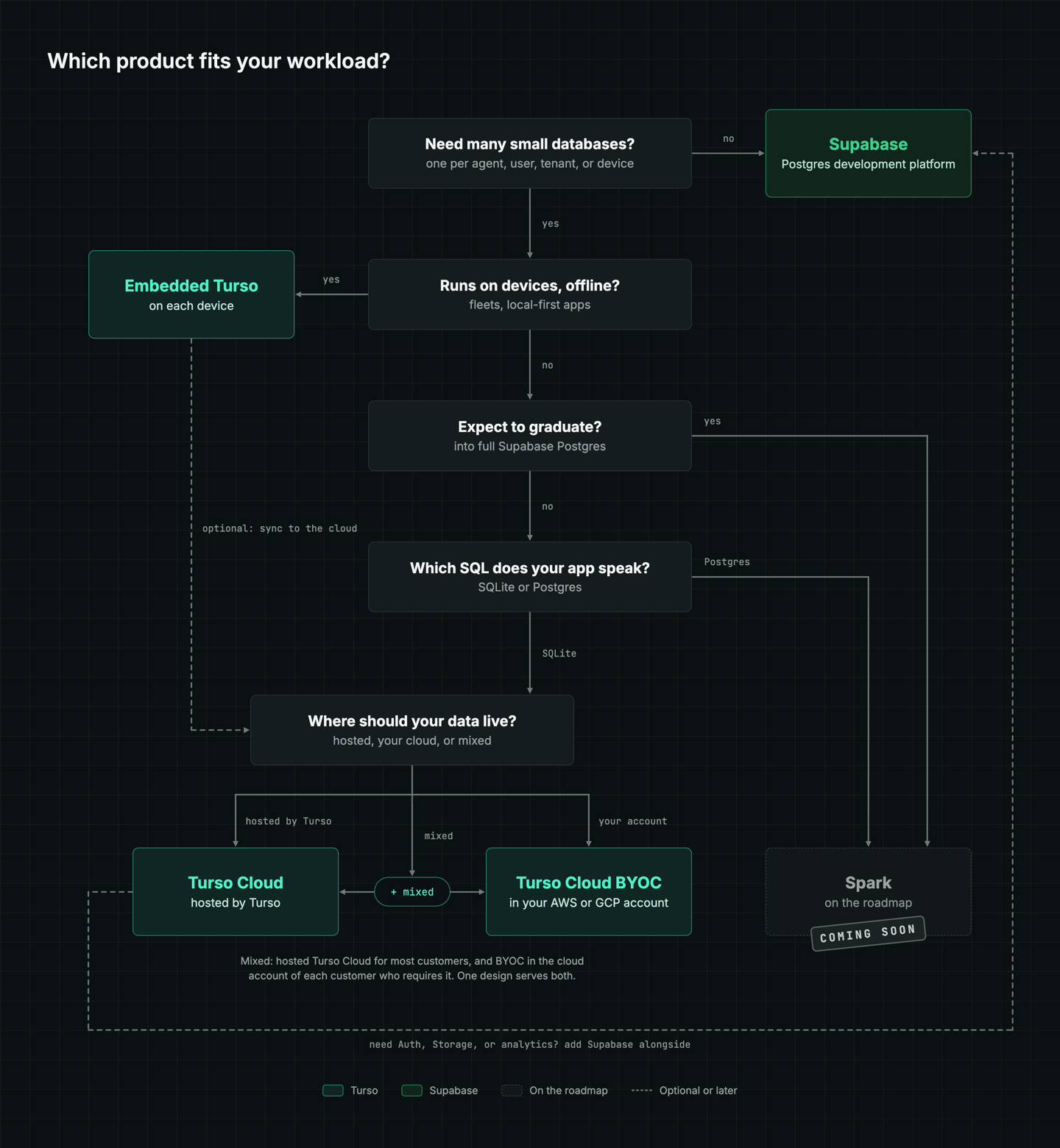
The finder follows a decision tree, and no path takes more than five questions.
- Do you need many small databases? That means one per agent, user, tenant, or device. If you need one or a few databases shared across your whole app, Supabase is the place to start.
- Does your app run on devices, offline? If it does, each device runs Embedded Turso, and the next question is about sync.
- Do your devices need to sync with the cloud? This is only asked on the device path. If data stays on each device, Embedded Turso is all you need. If devices sync, the last question decides where the synced data lives.
- Do you expect databases to graduate into full Supabase Postgres? If so, the finder points to Spark, which is on the roadmap.
- Which SQL does your app speak? SQLite leads to Turso. Postgres leads to Spark.
- Where should your databases live? Hosted by Turso, in your own AWS or GCP account, or a mix that depends on the customer.
#Every path, and where it leads
Here's where each combination of answers leads:
#Turso Cloud: many small databases, hosted by Turso
You need a database per agent, user, or tenant, your app runs in the cloud, your databases stay small, your app speaks SQLite, and your data can live with Turso. Turso Cloud creates each database on demand through the Platform API, and idle databases cost little, because each one is a file in object storage, not a running server.
#Turso Cloud BYOC: many small databases in your own cloud account
The answers are the same as for Turso Cloud, except your data has to stay in your own AWS or GCP account, or your customer's, because of regulated data, in-country rules, or a security review. Turso Cloud BYOC runs Turso Cloud inside that account. It's the same product and API, your data stays in your account, and Turso has no access to it.
#Turso Cloud and Turso Cloud BYOC: hosted for most customers, BYOC for some
Only some of your customers require their own cloud account, usually enterprise or regulated ones. Hosted Turso Cloud serves most customers, and BYOC runs in the account of each customer who requires it. One design serves both tiers, so moving a customer to BYOC doesn't mean rewriting your app.
#Embedded Turso: databases on devices, with or without sync
Your app runs on devices that need to keep working offline, like vehicles, field devices, or local-first desktop and mobile apps. If data stays on each device, Embedded Turso is all you need: Turso runs inside your app as a library, with no server to run and no cloud account to set up. If devices sync with the cloud, Embedded Turso pairs with Turso Cloud, Turso Cloud BYOC, or both, depending on where the synced data has to live.
Whichever Turso path you take, you can add Supabase products alongside later for Auth, Storage, or analytics, and your Turso databases stay where they are.
#Supabase: one or a few databases
You need one database, or a handful shared across your whole app. Supabase is the Postgres development platform: every project is a dedicated Postgres database, with Auth, instant APIs, Realtime, Functions, Storage, and vector embeddings built in.
#Spark: on the roadmap
You expect some databases to graduate into full Supabase Postgres, or your app speaks Postgres. Spark is on the roadmap for this case and isn't available yet. In the meantime, talk to the team about your workload, or start with Turso Cloud if your app can speak SQLite.
#When you don't need BYOC
BYOC solves a specific combination of requirements, and many teams have only one of them.
- Data must stay in your account, but you only have a few databases. Self-host the open-source Turso Database (i.e. embedded Turso), or self-host Supabase. At that scale, there's no platform to build.
- You need many databases, and they can live with a provider. Hosted Turso Cloud gives you the same product with nothing to deploy. If a customer later requires their own account, you can add BYOC without rewriting your application.
#Get started
If your team fits one of the groups above and faces one of these problems, contact our team to talk through a BYOC deployment in your AWS or GCP account. To see how Turso Cloud works first, try Turso Cloud free.